
Custom roles
Tune what each role can do, or create a brand-new permission bundle for your team.
Open in Stageory- 1
Open Roles
From the sidebar.
- Open Roles in the sidebar — the Owner role is locked, but every other built-in (Admin, Manager, Member, Viewer) accepts per-workspace overrides.
app.stageory.com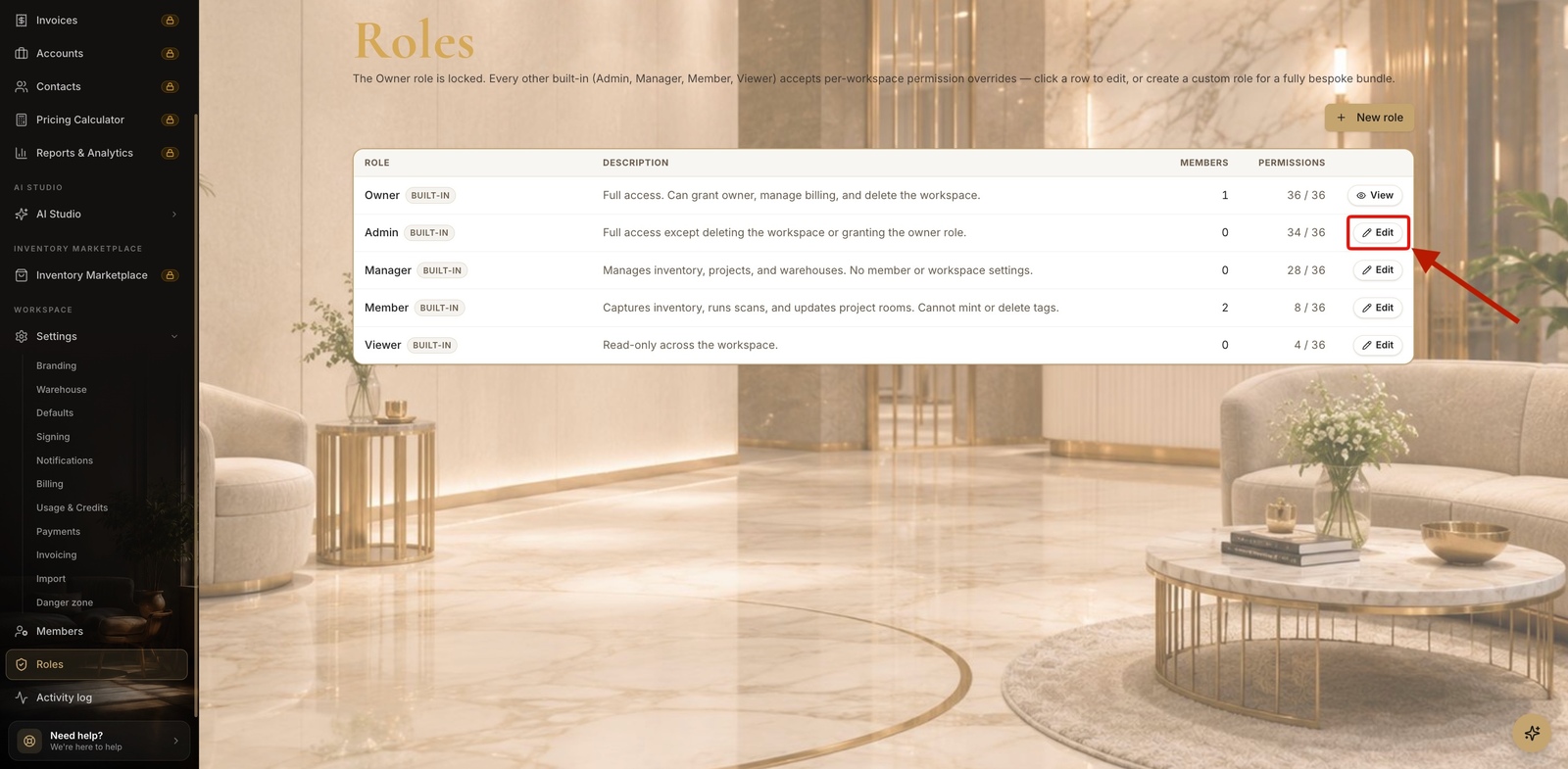
- 2
Edit a role's permissions
Override the built-ins.
- Click Edit on a role to toggle individual permissions, grouped by area (Workspace, Inventory, Projects, Members, and more).
- Save changes — editing a built-in role applies a workspace-specific override; Reset to defaults any time.
app.stageory.com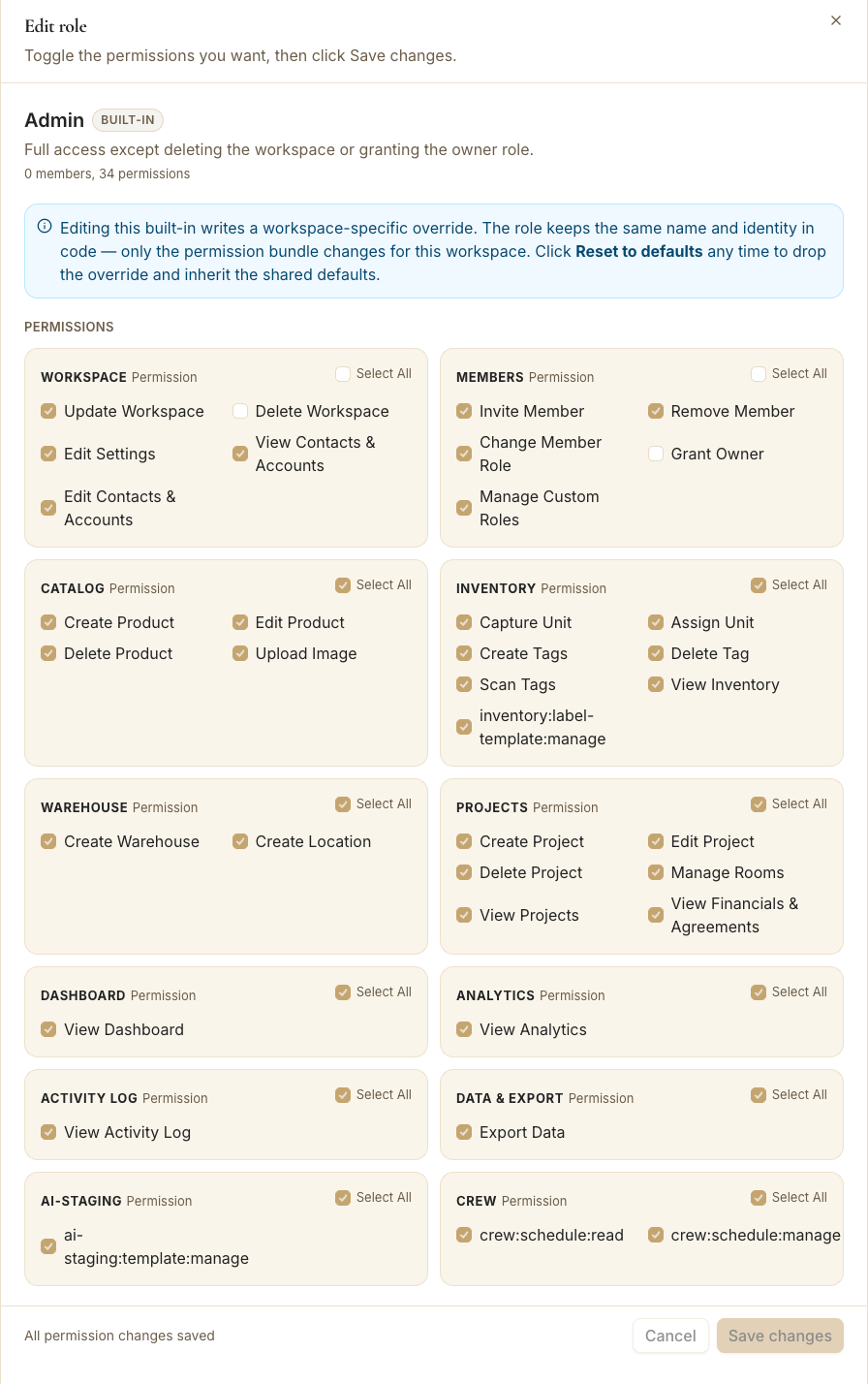
- 3
Create a custom role
A bespoke bundle.
- Click New role, name it, add a description, and select exactly the permissions it should have.
- Create role — it's now assignable to members from their profile.
app.stageory.com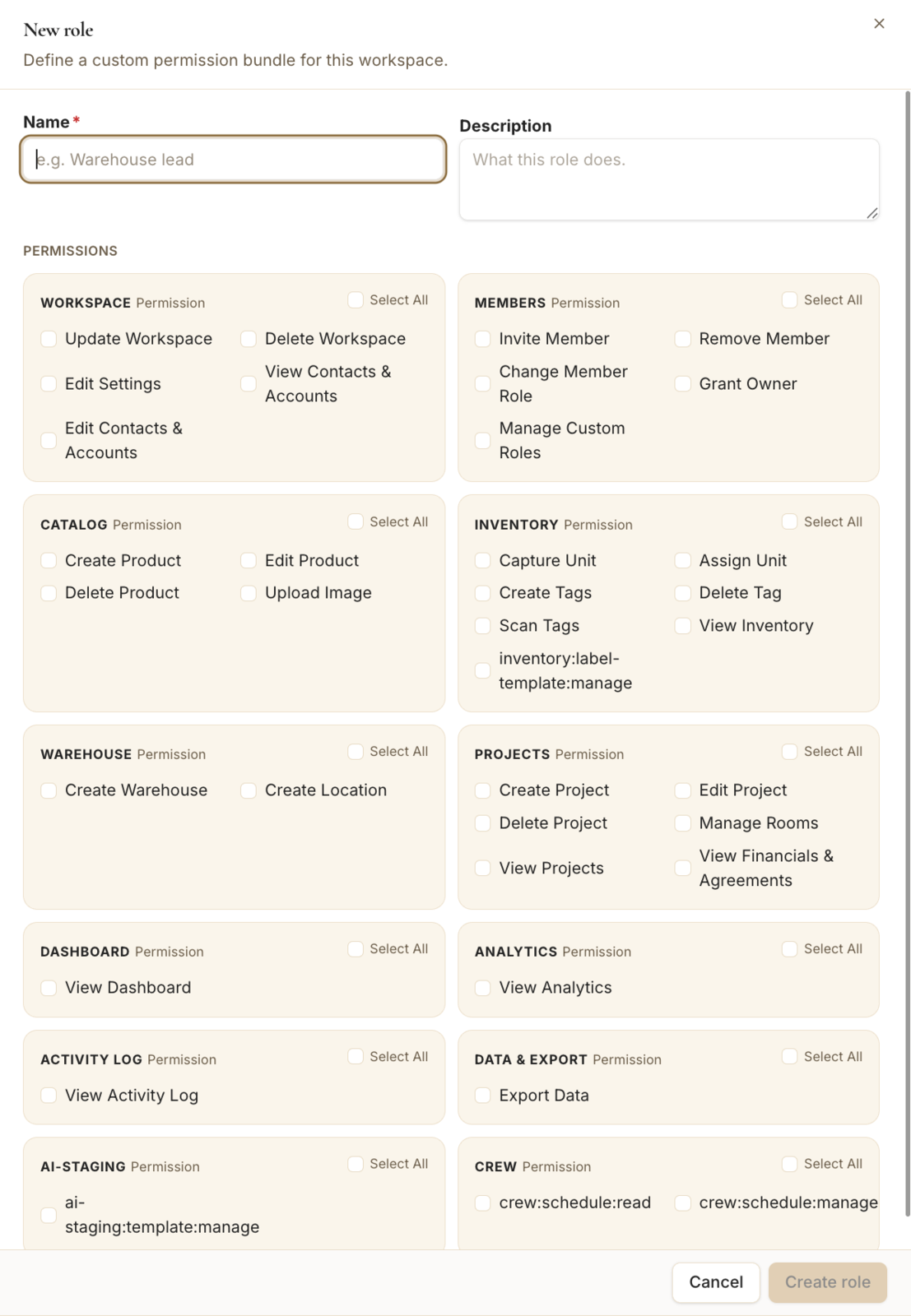
Tips
- Assign a custom role to a member from their profile in Members.
Still need help?
Can't find what you're looking for? Our team is here.