
Edit your profile
Update your name, photo, and email — how you appear across Stageory.
Open in Stageory- 1
Open your profile
From the account menu.
- Click your avatar in the top-right and choose Profile settings.
app.stageory.com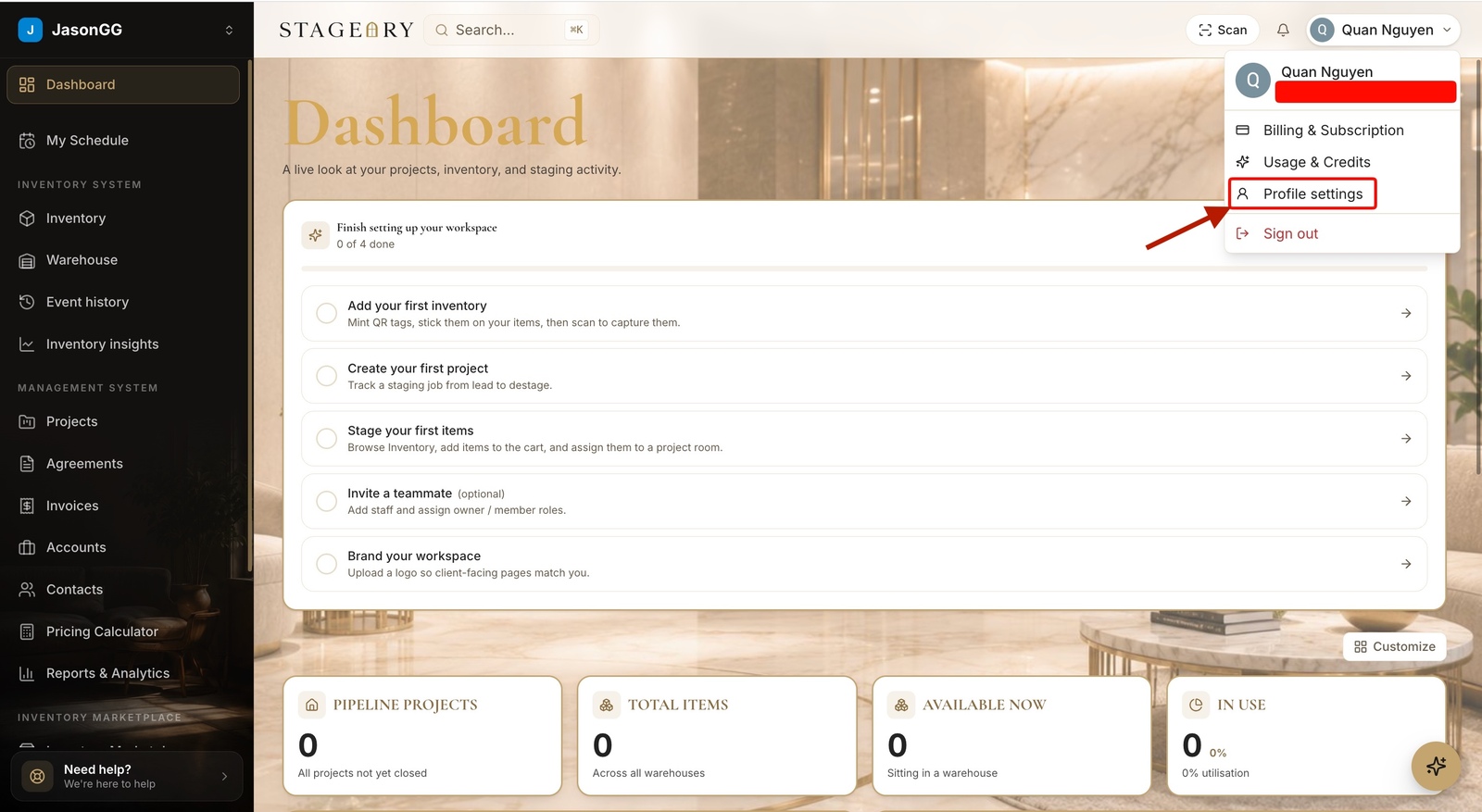
- 2
Update your details
Name, avatar, email.
- Replace your avatar and edit your first / last name, then Save profile.
- Changing your sign-in email requires verification.
app.stageory.com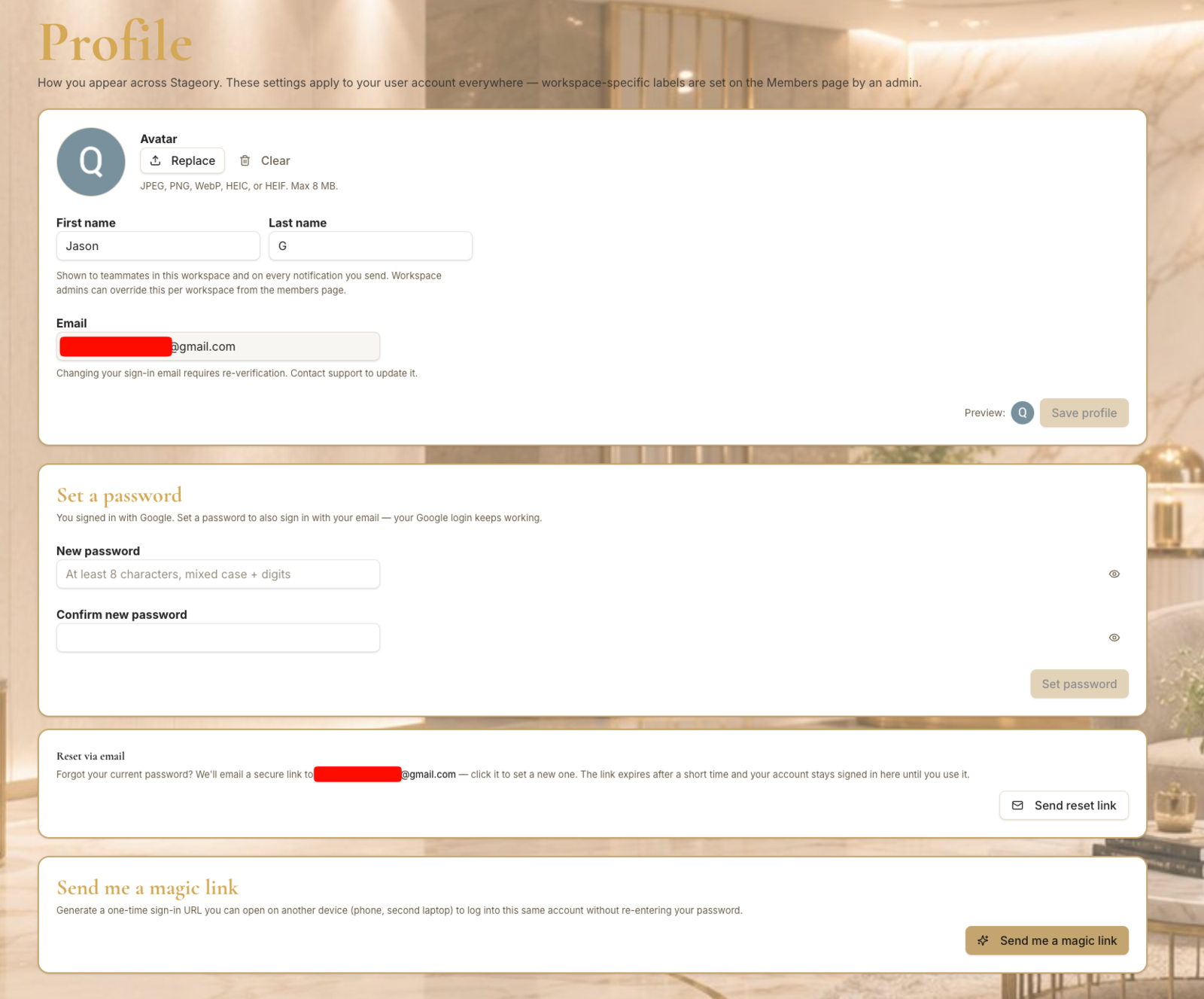
Tips
- Your profile is personal — workspace branding lives in Settings → Branding.
Still need help?
Can't find what you're looking for? Our team is here.