
- 1
Open Billing & Subscription
From the account menu.
- Click your avatar in the top-right and choose Billing & Subscription.
app.stageory.com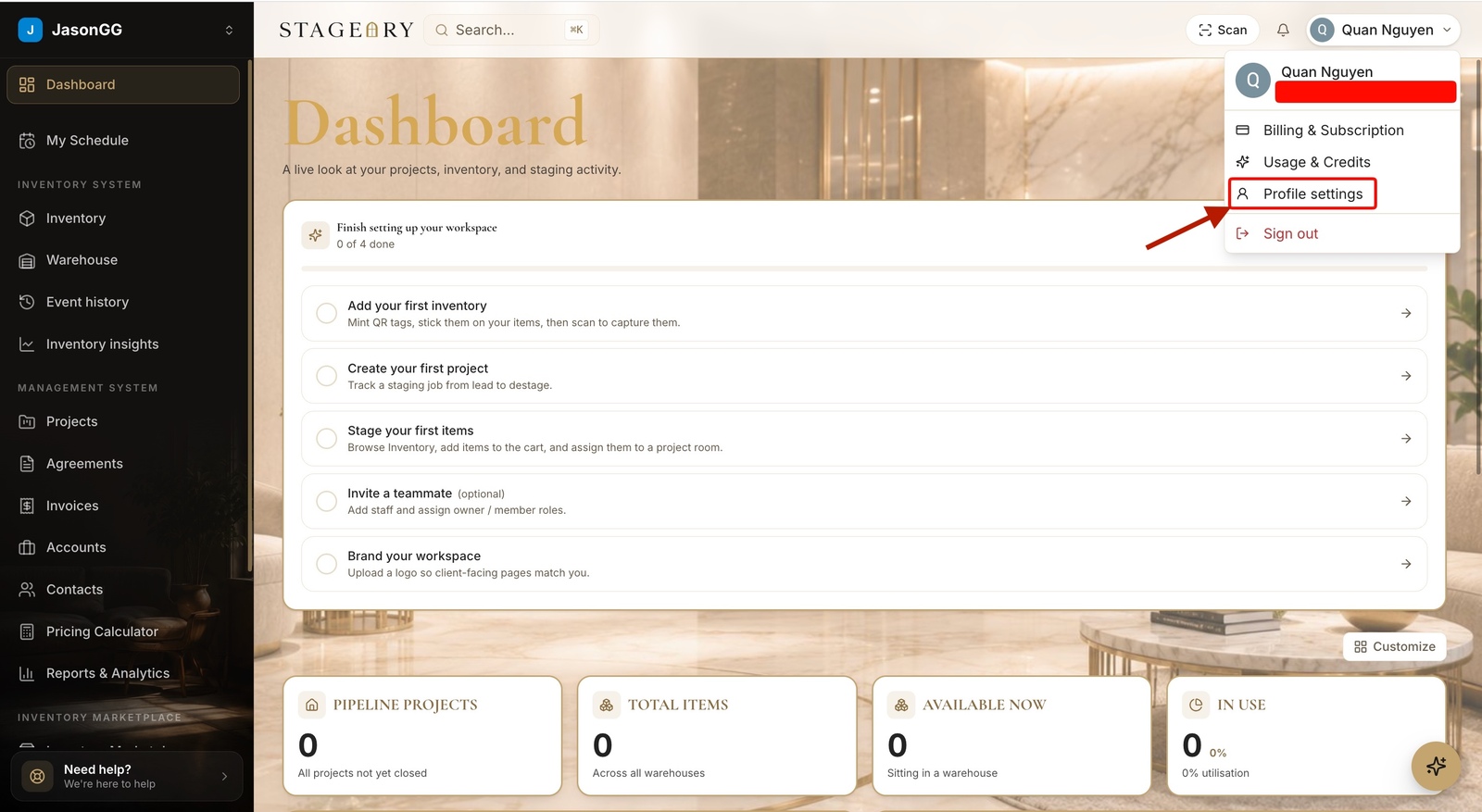
- 2
Review your plan
Plan, renewal, card.
- See your current plan and renewal date; during a trial it shows when the first charge lands.
- Use Manage billing to update your card, cancel, or view invoices. Have a code? Redeem a trial code here.
app.stageory.com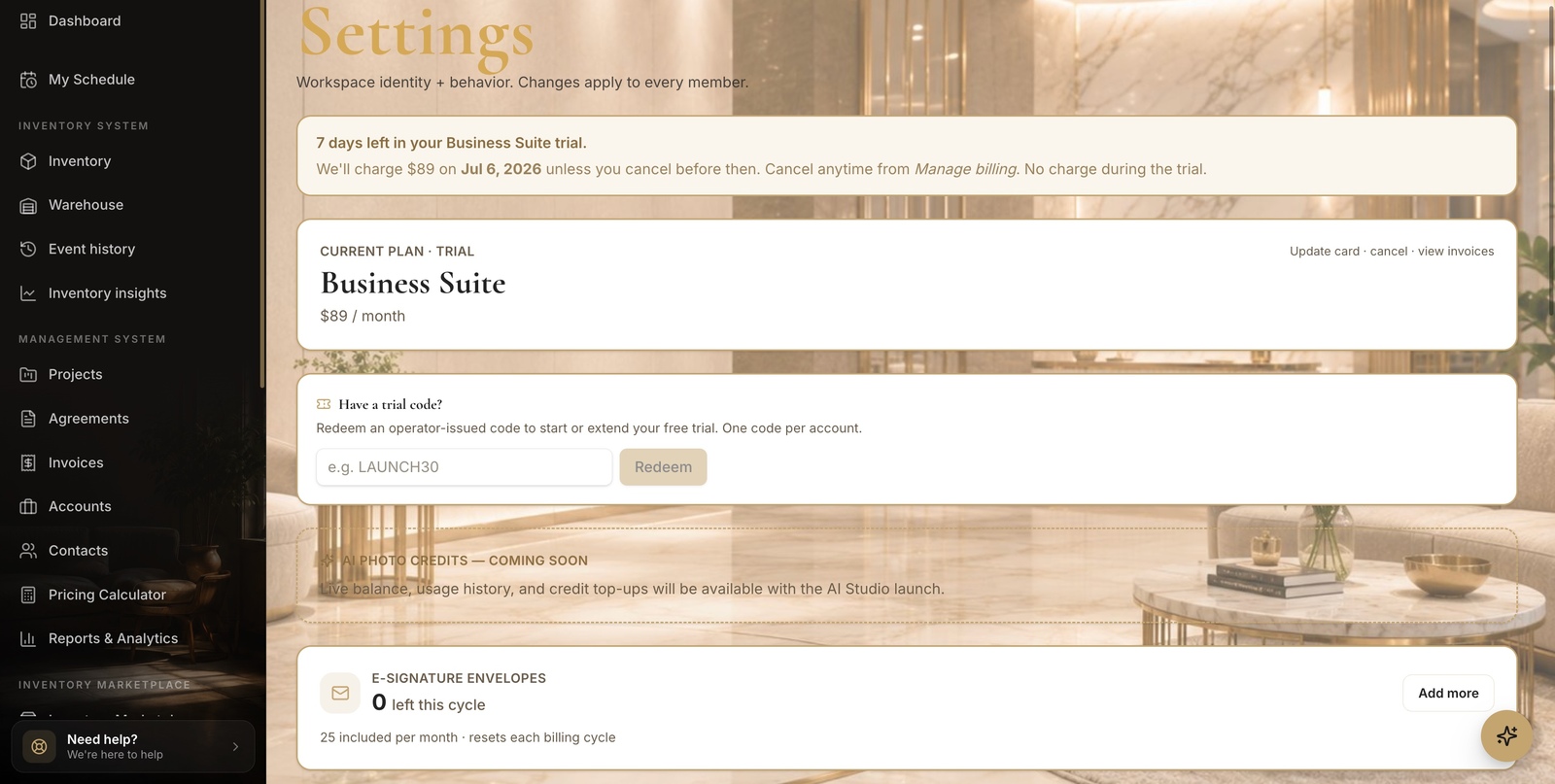
- 3
Switch plans
Upgrade or downgrade.
- Pick a plan and click Switch to this plan — toggle Monthly / Yearly to save 20%.
- Upgrades charge the prorated difference today; downgrades credit your next invoice.
app.stageory.com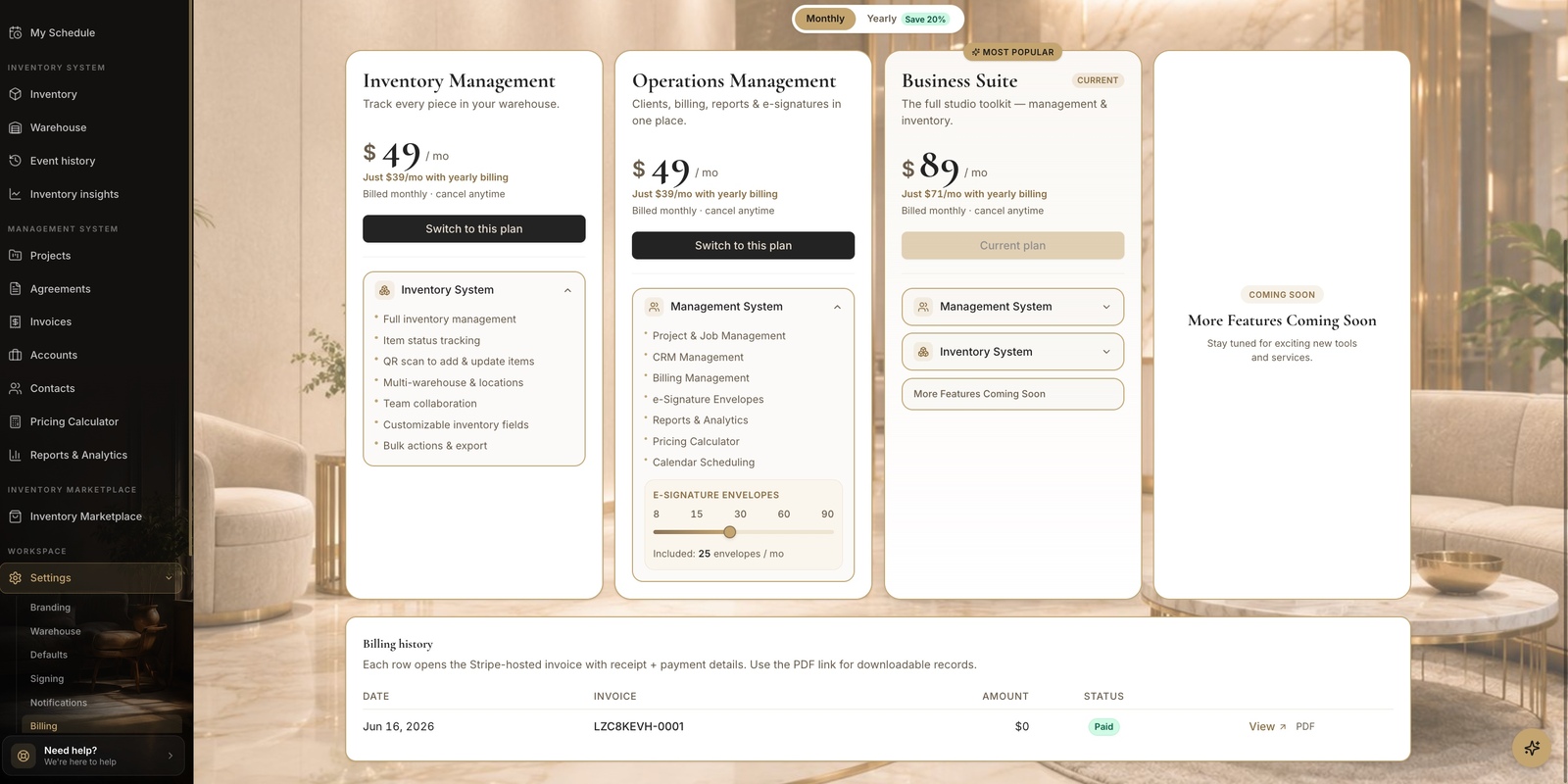
Tips
- Billing changes are owner-only.
Still need help?
Can't find what you're looking for? Our team is here.