
Homepage dashboard overview
A live snapshot of your projects, inventory, and staging activity.
Open in Stageory- 1
Read your headline stats
The metric cards.
- The cards across the top show Pipeline Projects, Total Items, Available Now, and In Use at a glance.
app.stageory.com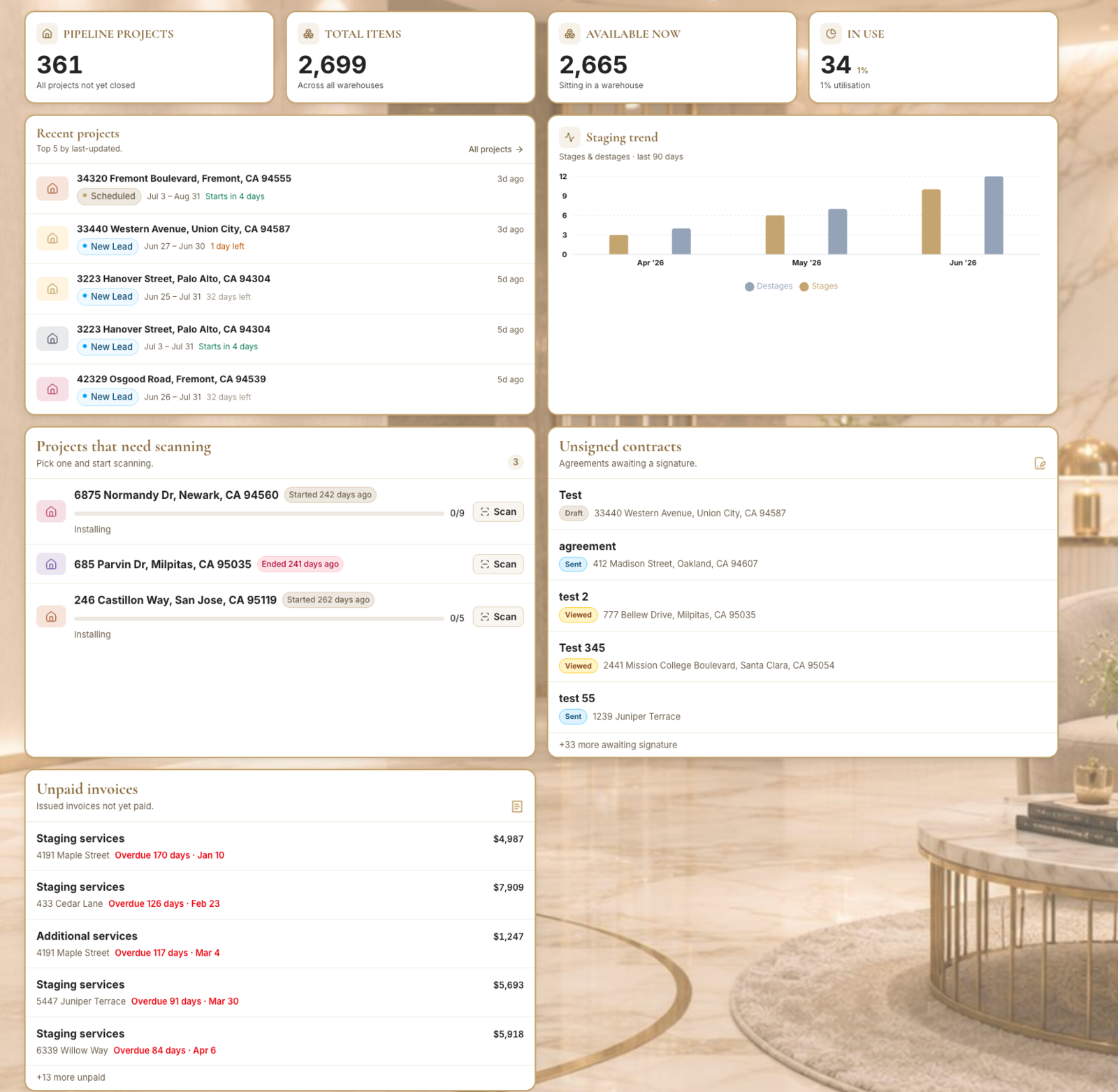
- 2
Scan the widgets
Tasks, projects, utilization.
- Below the stats, find My Tasks, Upcoming Projects, and Inventory Utilization.
- Use Customize to choose which widgets show.
Tips
- The dashboard is the default landing page when you open your workspace.
Still need help?
Can't find what you're looking for? Our team is here.